快速入门
概述
openGauss 文档采用 Markdown 格式编写,通过 Git 进行版本控制,并托管在 Gitee 平台。文档修改通过 Pull Request(PR)工作流进行审核与合并。openGauss 文档存放在 openGauss/docs 仓,由 doc SIG 负责维护。
快速开始
下面介绍文档开发流程。
Fork openGauss/docs 仓库。
访问 Repository 首页。点击右上角的Fork按钮,按照指引,创建个人的云上 fork 仓库。

克隆 openGauss/docs 仓库。
克隆 fork 仓库到本地,并关联本地与远程仓库。
bashgit clone https://gitcode.com/{your_org}/docs.git cd docs git remote add upstream https://gitcode.com/opengauss/docs.git git fetch upstream切换分支。
依据所需修改文档的版本,切换到对应的分支。此处以latest版本为例。
bashgit checkout -b work upstream/master按需更新文档。若新增文档文件,需维护
_toc.yaml目录配置文件。提交变更并推送到远程仓库。
bashgit add . git commit -m "提交原因" git push origin work创建PR。
在个人文档仓库的 Pull Requests 页面
https://gitcode.com/{your_org}/docs/pulls,点击新建Pull Request创建PR。源分支选择{your_org}/docs/work,目的分支选择openGauss/docs/master。填写 PR 标题并简要说明修改内容,点击创建Pull Request。合入PR。
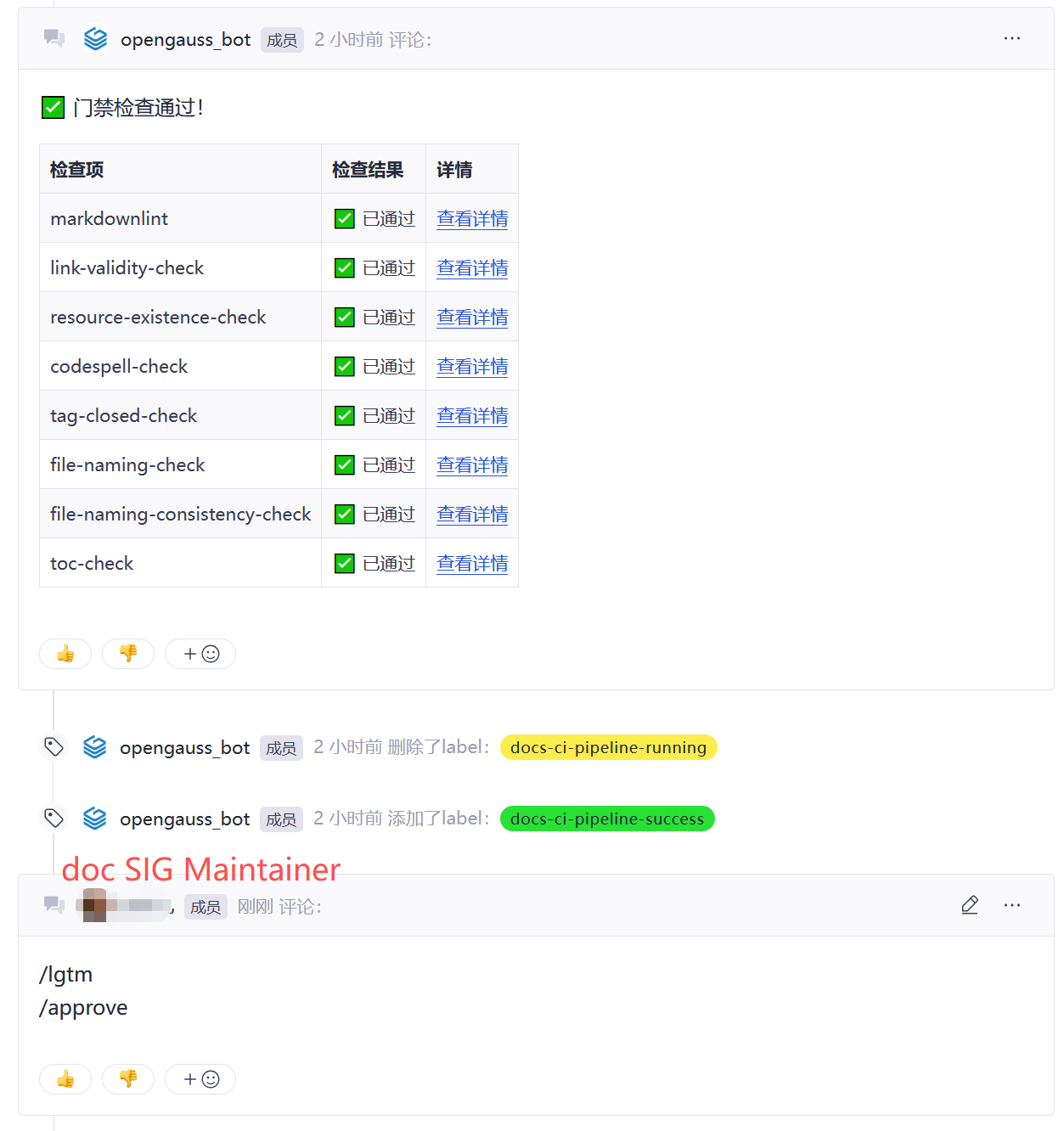
合入条件:文档流水线门禁通过,CLA 已签署,Issue 已关联,doc SIG maintainer 检视通过。