在 n8n 中使用 openGauss DataVec 向量数据库
n8n 是一个开源的工作流自动化平台,借助其节点编排能力可以构建从数据集成到 AI 智能体的各类工作流。本文介绍如何在 n8n 中安装并使用社区节点 n8n-nodes-opengauss-datavec,将 openGauss DataVec 作为向量数据库用于向量检索和 RAG 等场景。
概述
n8n-nodes-opengauss-datavec 是一个 n8n 社区节点包,封装了 openGauss / openGauss DataVec 向量数据库扩展,提供两个互补的节点:一个面向 LangChain/AI Agent 生态的向量库节点,一个面向传统数据操作的通用 SQL 节点。两者共用同一套 openGaussDataVecApi 凭证,可在同一工作流里自由组合(例如:先用 SQL 节点建表,再用向量库节点灌库与检索)。
包含组件:
- openGauss DataVec Store — AI Vector Store 节点,4 种模式
- openGauss — 通用 SQL 节点,6 种操作
- openGauss DataVec API — 数据库凭证
推荐节点选型如下表所示:
| 场景 | 推荐节点 | 关键模式 / 操作 |
|---|---|---|
| 把文档 + Embedding 写入向量表 | openGauss DataVec Store | Insert Documents |
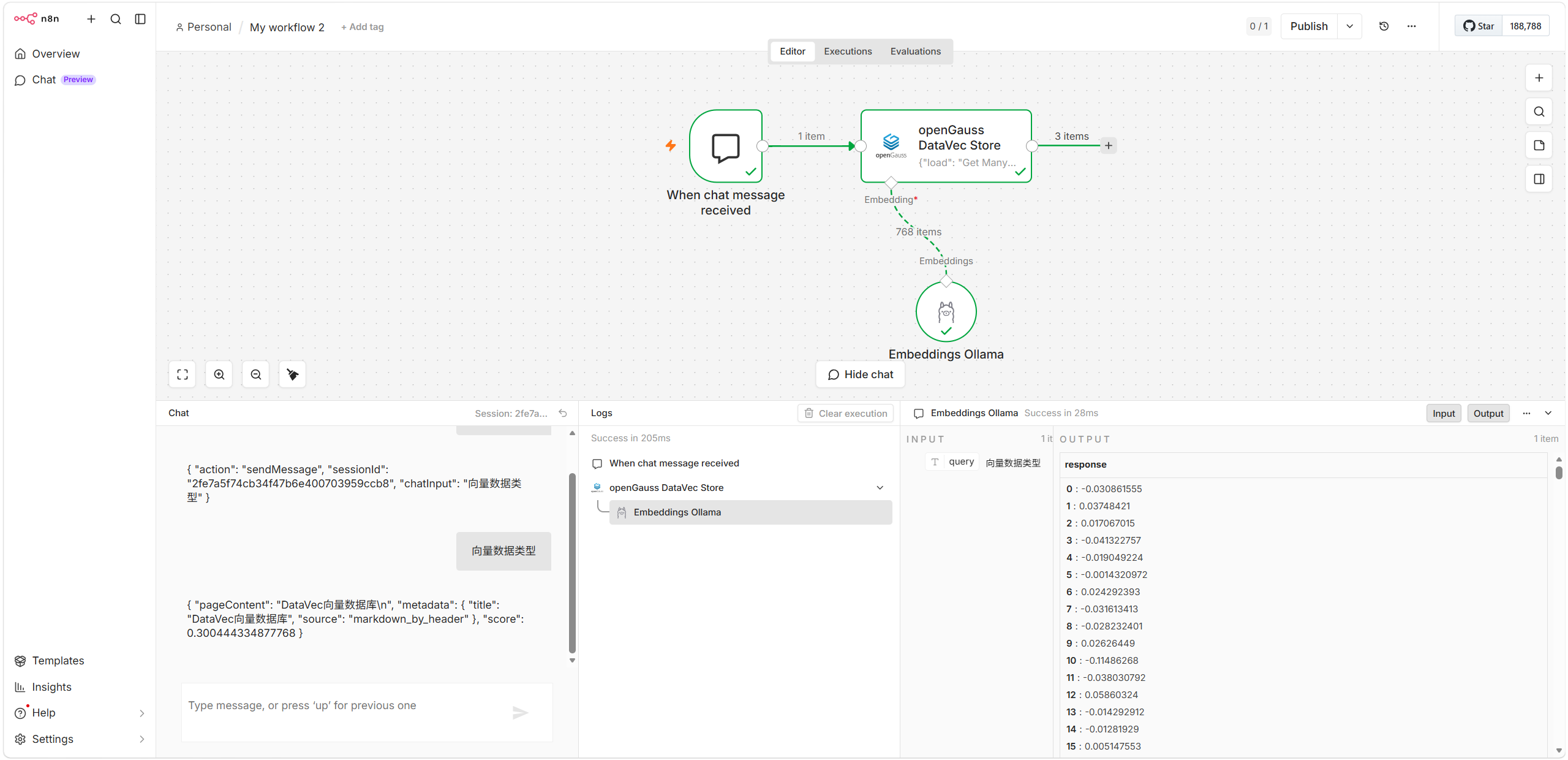
| 在数据管道里独立做向量召回(不连接 Chain) | openGauss DataVec Store | Get Many |
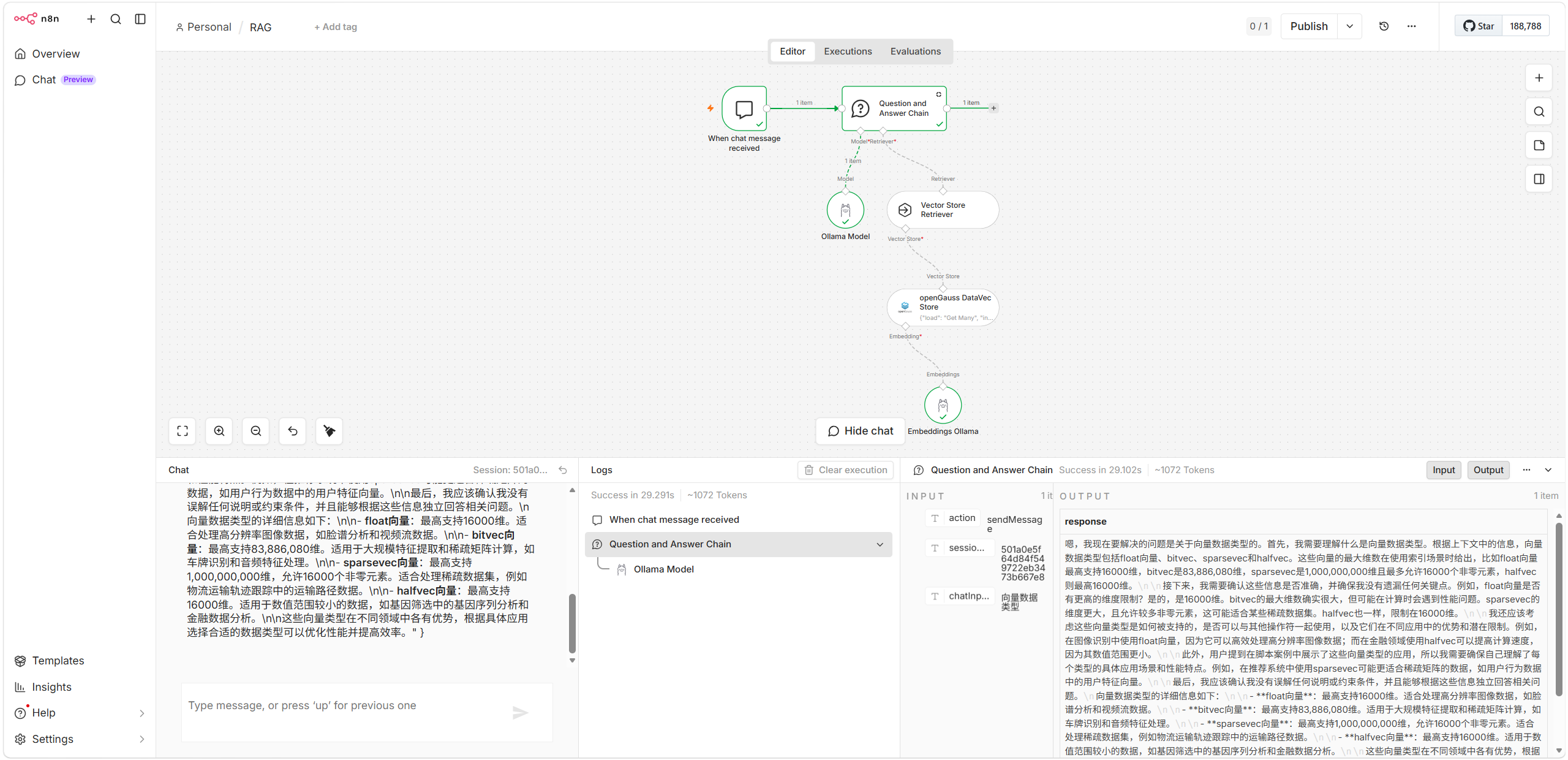
| 给 Question & Answer Chain / Retriever 提供向量库 | openGauss DataVec Store | Retrieve Documents (As Vector Store) |
| 让 AI Agent 把向量检索当作工具调用 | openGauss DataVec Store | Retrieve Documents (As Tool for AI Agent) |
| 自由 SQL(DDL / 复杂查询 / 临时报表) | openGauss | Execute Query |
| 结构化表的增删改查(业务表 CRUD) | openGauss | Insert / Select / Update / Upsert / Delete |
| 让 AI Agent 直接读写业务表 | openGauss(usableAsTool) | 任意操作 |
环境准备
启动 openGauss 实例
本文以容器方式启动 openGauss 实例。
# 启动容器
$ docker run -d \
    --name opengauss \
    --privileged=true \
    --restart=always \
    -p 5432:5432 \
    -e GS_PASSWORD=openGauss@123 \
    -v ./opengauss:/var/lib/opengauss/data \
    opengauss/opengauss:7.0.0-RC1

# 确认容器正常运行
$ docker ps
CONTAINER ID   IMAGE                           COMMAND                  CREATED         STATUS         PORTS                                         NAMES
28f7942c4dba   opengauss/opengauss:7.0.0-RC1   "entrypoint.sh gauss…"   3 seconds ago   Up 3 seconds   0.0.0.0:5432->5432/tcp, [::]:5432->5432/tcp   opengauss
说明
openGauss 容器默认已创建 gaussdb 用户和 postgres 库,启动时使用环境变量 GS_PASSWORD 指定用户密码。
部署 n8n
本文以容器方式部署 n8n 。
# 创建挂载卷
$ docker volume create n8n_data

# 启动容器
$ docker run -it -d \
    --name n8n \
    -p 5678:5678 \
    -v n8n_data:/home/node/.n8n \
    docker.n8n.io/n8nio/n8n

# 确认容器正常运行
$ docker ps
CONTAINER ID   IMAGE                           COMMAND                  CREATED         STATUS         PORTS                                         NAMES
6dbb4b4f7fca   docker.n8n.io/n8nio/n8n         "tini -- /docker-ent…"   4 seconds ago   Up 4 seconds   0.0.0.0:5678->5678/tcp, [::]:5678->5678/tcp   n8n
通过访问 http://YOUR_SERVER_IP:5678 进入 n8n 登录页面。
安装并配置节点
安装节点
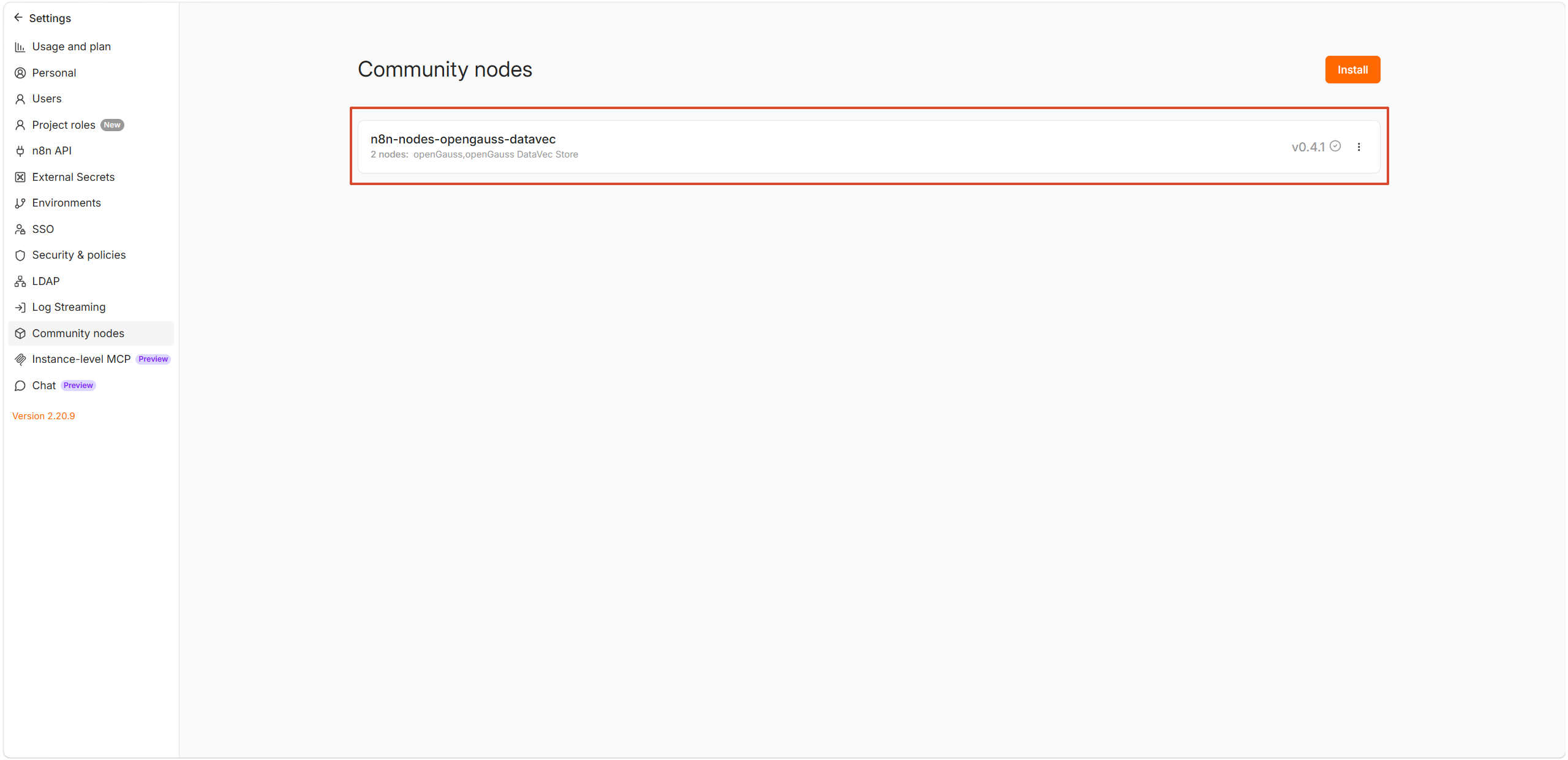
(1)通过 n8n UI 在线安装节点
- n8n 启动后访问
http://YOUR_SERVER_IP:5678 - 进入 Settings → Community Nodes → Install a community node
- 输入包名:
n8n-nodes-opengauss-datavec - 勾选「I understand the risks」并点击 Install
- 安装完成后可以看到已安装的包及版本
(2)验证节点能否正常加载
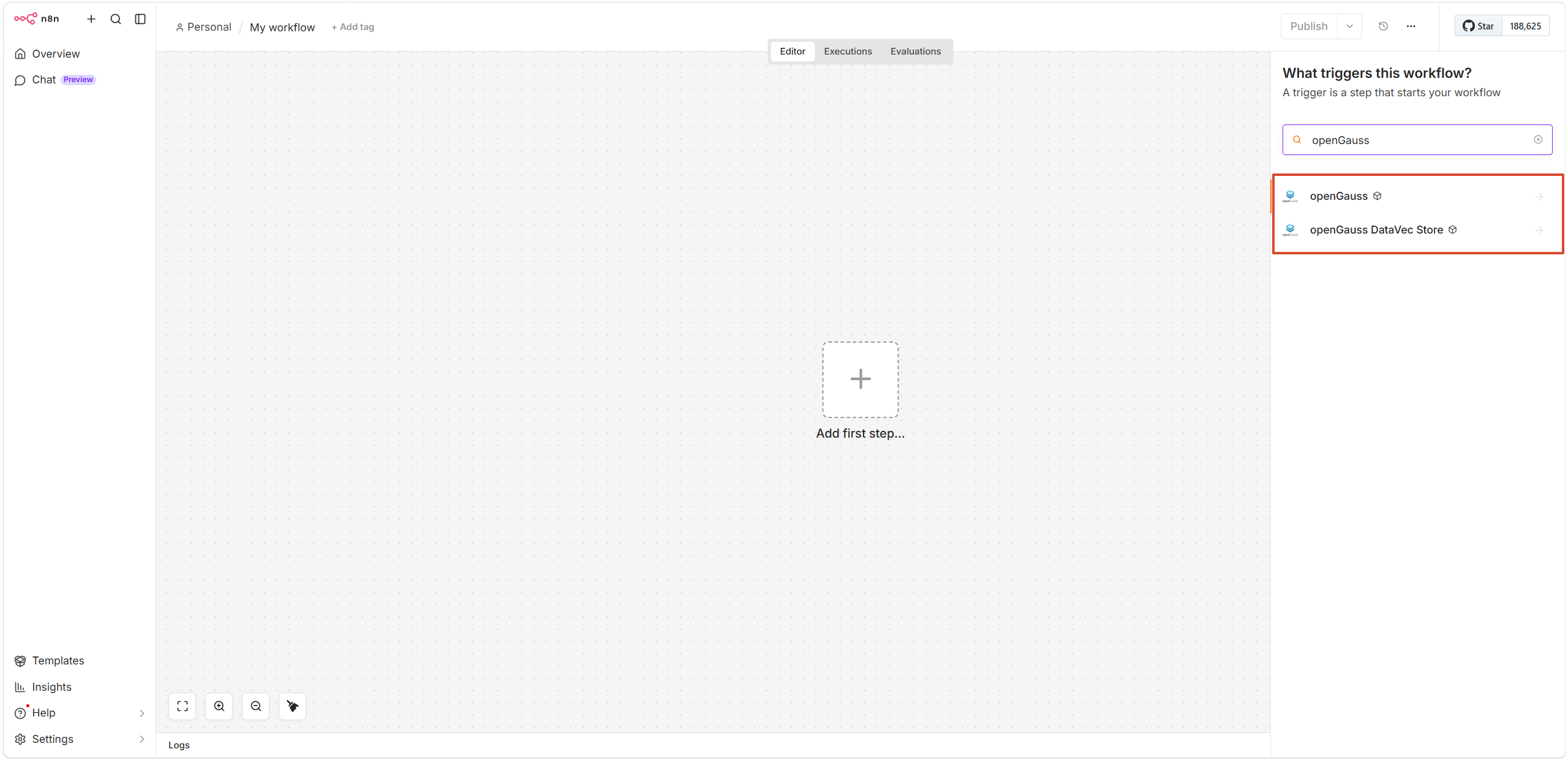
- 浏览器访问
http://YOUR_SERVER_IP:5678 - 左侧菜单点击 + 按钮 → Workflow,新建工作流
- 点击画布中央的 + 按钮,在弹出的节点窗口中搜索 openGauss
- 出现 openGauss* 和 openGauss DataVec Store 节点即安装成功
配置连接凭据
凭据用于建立到 openGauss 的连接,所有节点共享。
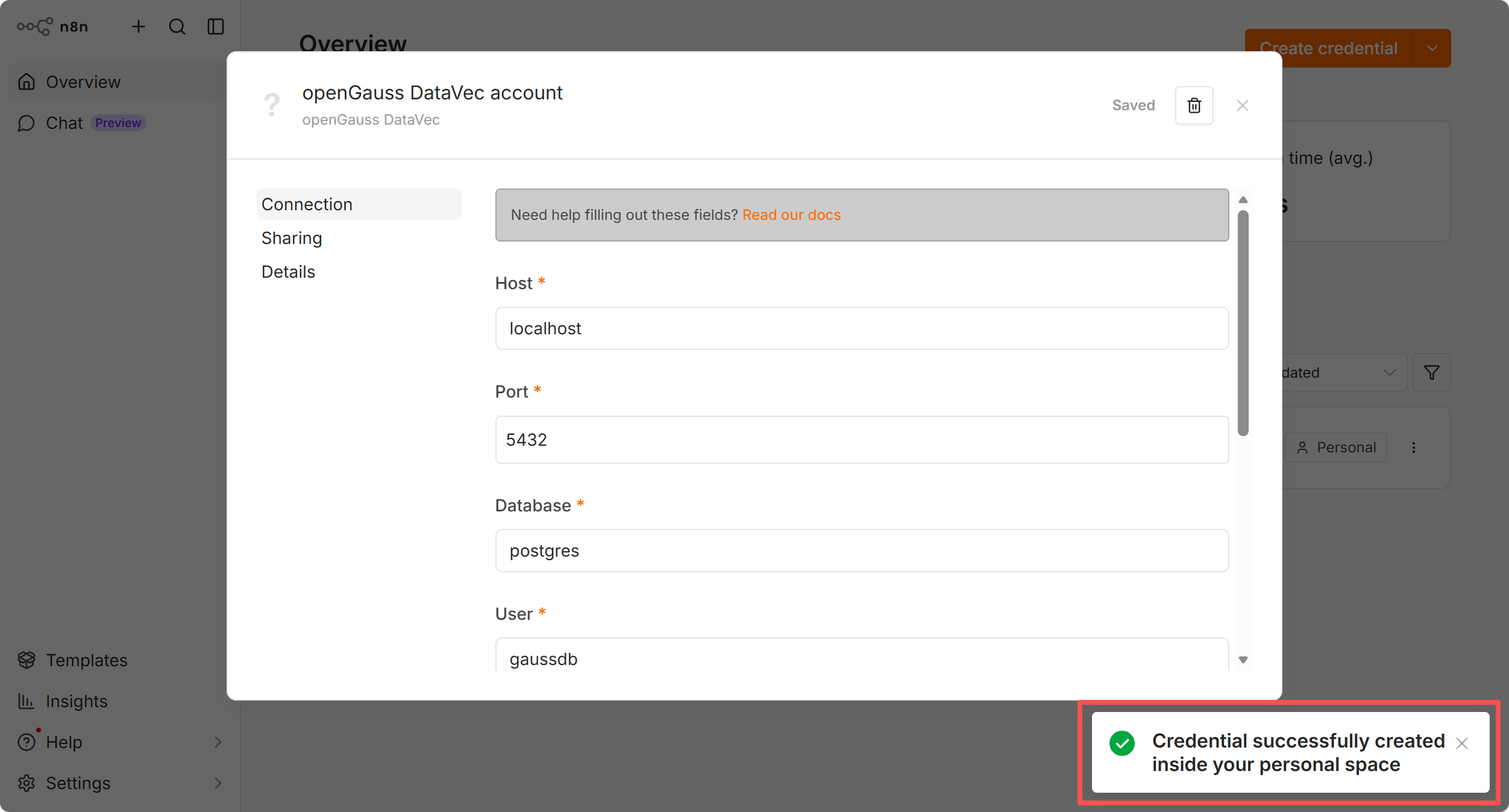
左侧菜单点击 + 按钮 → Credentials → Add new credential
搜索并选择 openGauss DataVec
填写以下字段并保存:
字段 默认值 说明 Host localhostopenGauss 主机地址 Port 5432openGauss 端口 Database (必填) 数据库名,如 postgresUser gaussdb用户名 Password (必填) 密码 SSL Disable可选 Disable / Allow / Require Max Connections 10连接池大小,生产建议 20~50 确认成功连接到数据库
AI 服务集成
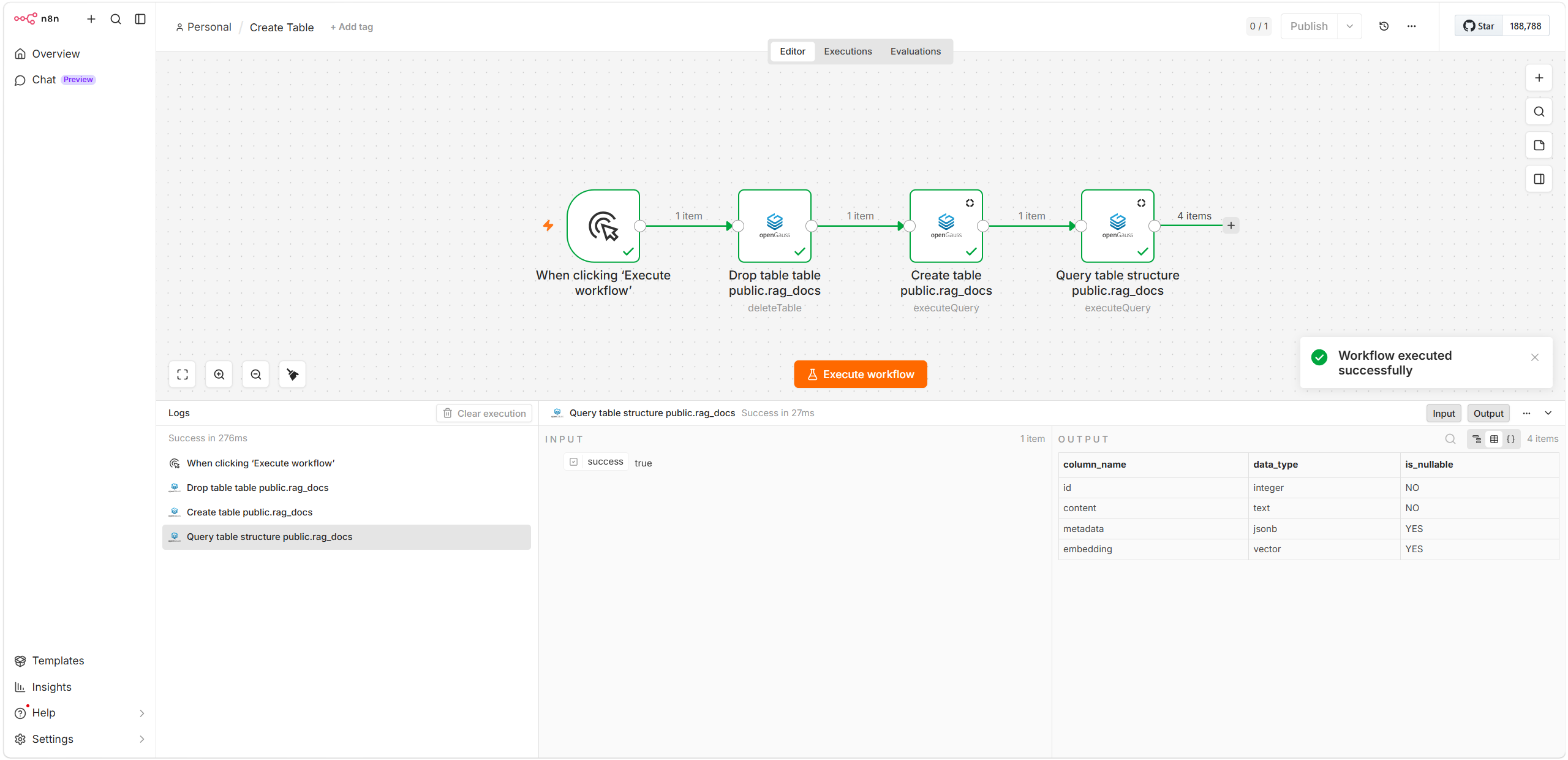
(1)创建表
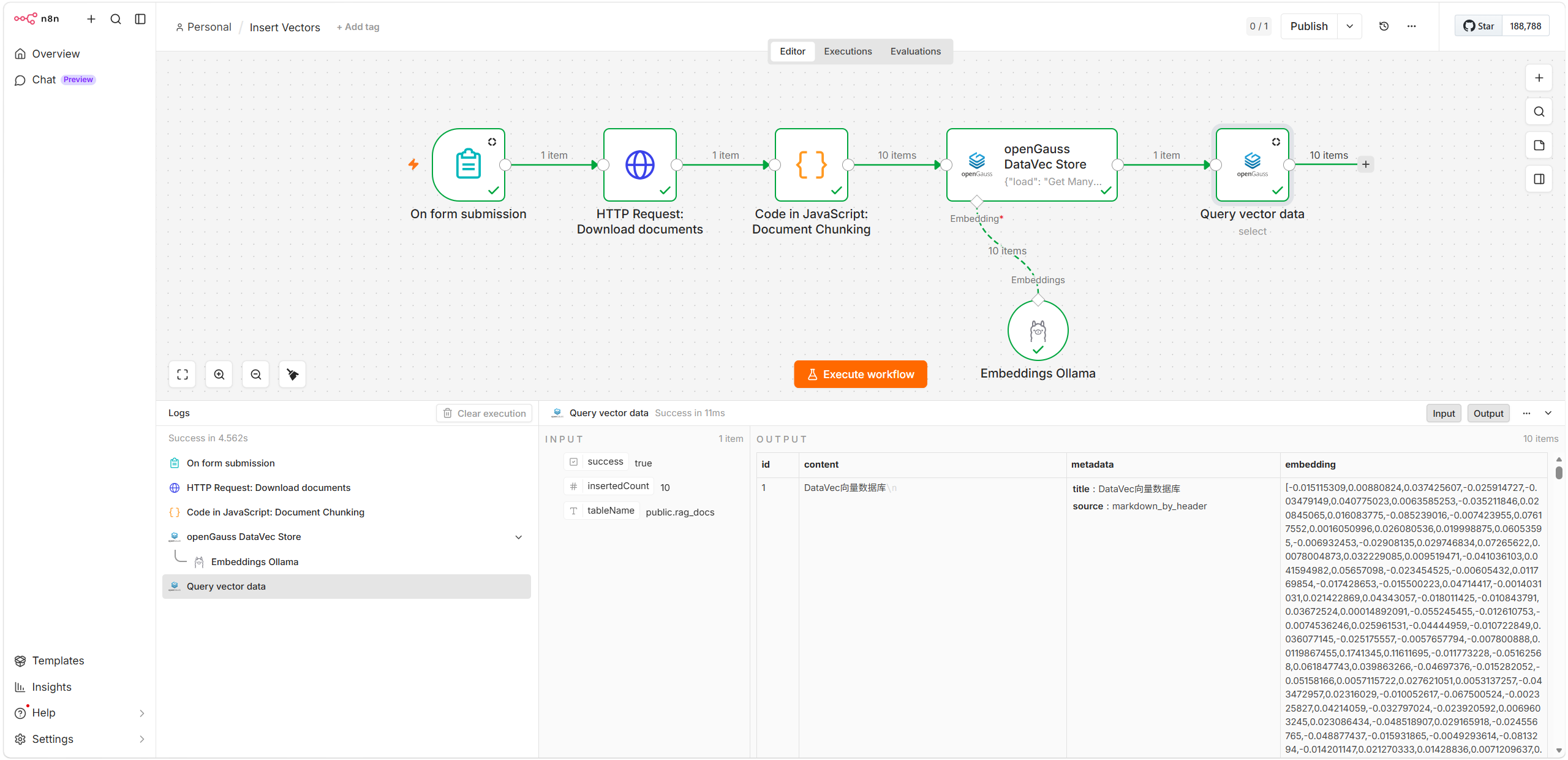
(2)将文档分块、向量化处理并写入 openGauss 向量数据库
(3)进行独立召回测试
(4)构建完整的 RAG 管道
参考模板:n8n-nodes-opengauss-datavec/templates/RAG.json at main · mryanzhicong/n8n-nodes-opengauss-datavec
参考资料
- openGauss 官方文档:https://docs.opengauss.org/
- openGauss DataVec:https://docs.opengauss.org/zh/docs/latest/datavec/
- n8n 社区节点开发:https://docs.n8n.io/integrations/creating-nodes/