Core Fault Locating
Core Dump Occurs due to Full Disk Space
Symptom
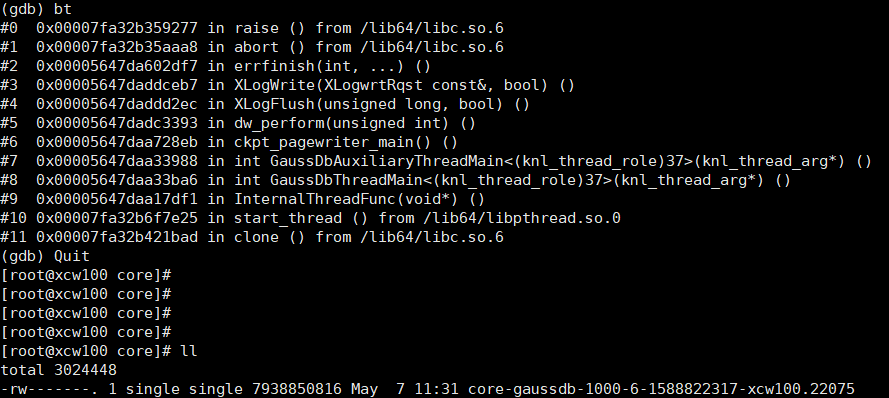
When TPC-C is running, the disk space is full during injection. As a result, a core dump occurs on the GaussDB process, as shown in the following figure.
Cause Analysis
When the disk is full, Xlog logs cannot be written. The program exits through the panic log.
Procedure
Externally monitor the disk usage and periodically clean up the disk.
Core Dump Occurs Due to Incorrect Settings of GUC Parameter log_directory
Symptom
After the database process is started, a core dump occurs and no log is recorded.
Cause Analysis
The directory specified by GUC parameter log_directory cannot be read or you do not have permissions to access this directory. As a result, the verification fails during the database startup, and the program exits through the panic log.
Procedure
Set log_directory to a valid directory. For details, see log_destination.
Core Dump Occurs when RemoveIPC Is Enabled
Symptom
The RemoveIPC parameter in the OS configuration is set to yes. The database breaks down during running, and the following log information is displayed:
FATAL: semctl(1463124609, 3, SETVAL, 0) failed: Invalid argumentCause Analysis
If RemoveIPC is set to yes, the OS deletes the IPC resources (shared memory and semaphore) when the corresponding user exits. As a result, the IPC resources used by the openGauss server are cleared, causing the database to break down.
Procedure
Set RemoveIPC to no. For details, see Preparing for Installation > Preparing the Software and Hardware Installation Environment > Modifying OS Configuration in Installation Guide.